
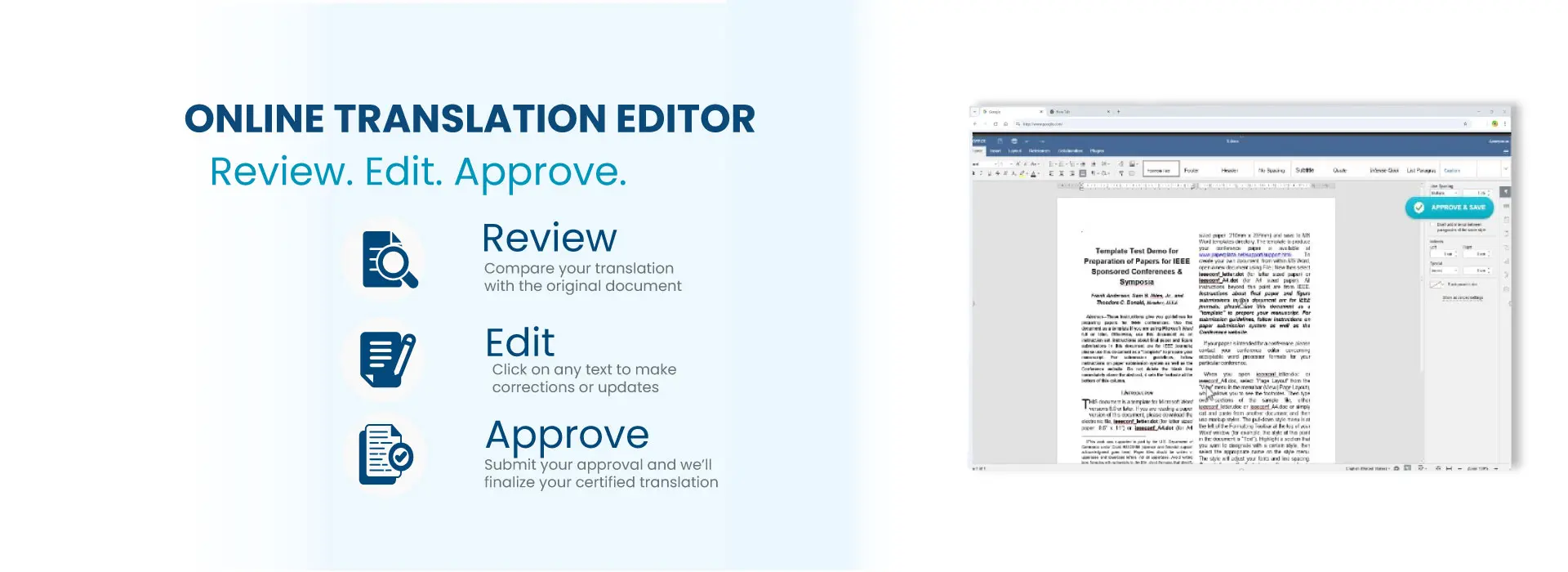
Review, Edit and Approve Your Certified Translation Online
Our secure online translation editor allows you to review your certified translation before it is finalized. You can make corrections, suggest edits, and approve your document directly from your browser without installing any software.
At Universal Translation Services, every customer has the opportunity to review their translation before certification. This helps ensure names, dates, addresses, and other personal information are exactly as you want them.
Sanskrit to English Translation Services/Legal Translations
$20 per page
USCIS-Accepted • Delivery in 24 Hours • Any Language into English
✔ Official Certified Translation Included
✔ Guaranteed USCIS acceptance
✔ Available 24/7 — same-day delivery
✔ Digital delivery + optional notarization
What Is the Online Translation Editor?
The Online Translation Editor is a secure web-based portal where you can review your translated documents before they receive their final certification.
Instead of exchanging multiple emails with edited documents, you can make your requested changes directly inside the editor. Once you approve your translation, our quality assurance team reviews every modification before preparing the final certified translation.
Step 1 – Open Your Translation
When your translation is ready for review, you’ll receive an email containing a secure link to your Translation Portal.
Click the link to open your project and access the online editor. You can review the translated document directly in your browser without installing any software.
Step 2 – Review Your Translation
-
Carefully compare the translation with your original document before making any changes.
Check important details such as names, dates, addresses, numbers, document numbers, and other personal information. Make sure all information is complete and spelled correctly.
Step 3 – Make Corrections
If you notice anything that needs to be changed, simply click on the text and enter your correction directly in the editor.
You can update names, dates, addresses, document numbers, spelling mistakes, formatting, and special characters. Once you have finished making your changes, review the document one final time before submitting it for approval.
Step 4 – Submit Your Approval
Once you’re satisfied with your translation, click the Approve button to submit your final review.
Your approval notifies our translation team that the document is ready for quality assurance. We will verify every requested change against the original document before preparing your final certified translation for delivery.
Step 5 – Final Certification
After receiving your approval, our translators verify all requested changes against the original document.
Once everything has been confirmed, your certified translation will be finalized and delivered to you.
Why Review Your Translation?
Although every translation is professionally completed, customers often know the preferred spelling of their own names, addresses, or personal information.
The review process allows you to verify these details before certification.
Can I edit the translation myself?
Yes. You can edit the translated text directly inside the online editor before submitting your approval.
What happens after I click Approve?
Our translation team reviews every requested change against the original document before preparing the final certified translation.
Can I make changes after approving?
Once you approve your translation, the document becomes locked for processing. If additional changes are required afterward, please contact our support team as soon as possible. Please notice that an extra cost of $10 is involved as the process has to be redone.
Is the online editor secure?
Yes. The Translation Portal uses secure connections to protect your documents and personal information.
Will my certified translation still be accepted by USCIS?
Yes. After the final review and certification process, your certified translation remains fully compliant with USCIS requirements.